debugging.md 3.1 KB
icon: dot title: Debugging
order: 80
Install VSCode Extension
To debug a pocketpy program, you need to install our VSCode extension first:
https://marketplace.visualstudio.com/items?itemName=pocketpy.pocketpy
!!!
The VSCode extension requires pocketpy version >= 2.1.1
!!!
Create a launch.json file
Navigate to the Debug view in VSCode, and click on "create a launch.json file" link. In the dropdown menu, select "pocketpy".
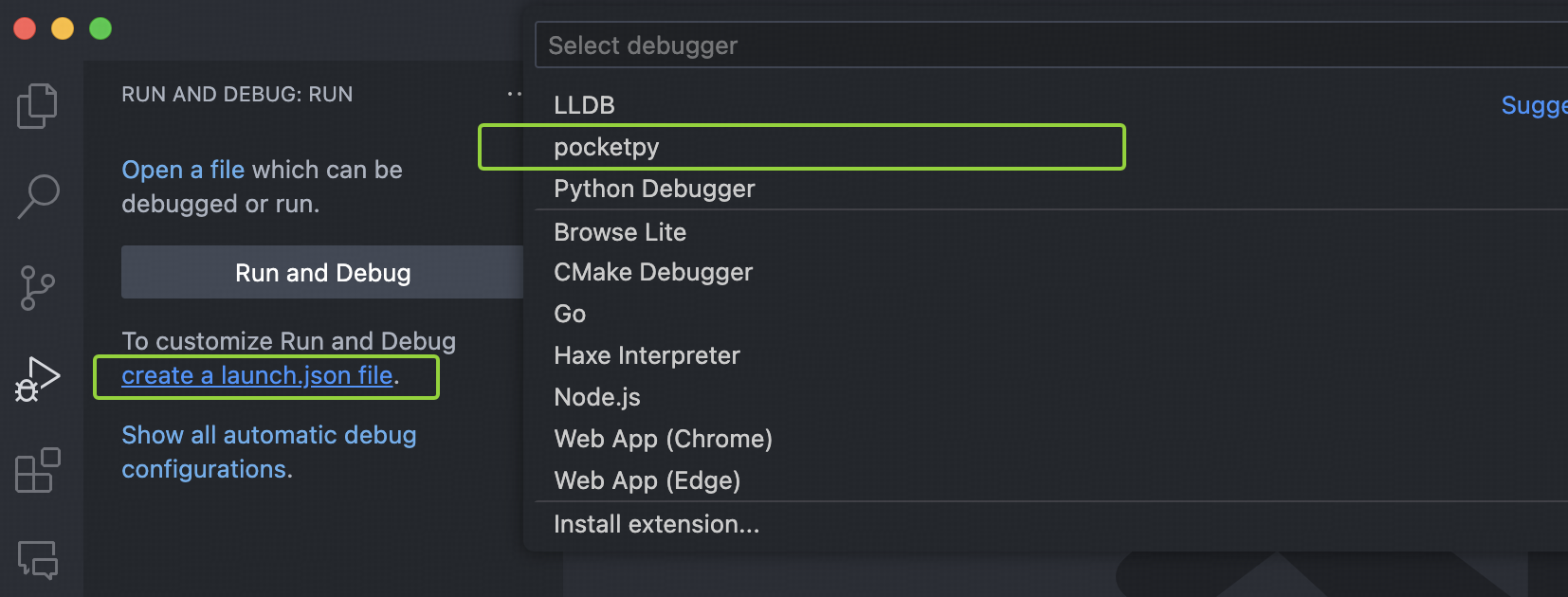
Then a default launch.json file will be created in the .vscode folder
with a sample pocketpy debug configuration.
How does it work?
pocketpy provides a C-API py_debugger_waitforattach,
which starts a debug server and waits for the VSCode extension to attach.
When the debugger is attached, the program will continue to run.
- If you are using pocketpy's standalone executable
main.exe, you can pass--debugflag to it. This will automatically callpy_debugger_waitforattach("127.0.0.1", 6110)before running your program. - If you are embedding pocketpy as a library, you need to call
py_debugger_waitforattachmanually in your C/C++ code.
Configuration
type: must bepocketpyrequest: can beattachorlaunchname: the name of this configurationport: the port number of the debug server, must match the one inpy_debugger_waitforattachhost: the host of the debug server, must match the one inpy_debugger_waitforattachsourceFolder: the root folder of your python source code, default to${workspaceFolder}. However, sometimes you may run your program from a subfolder, in this case you need to setsourceFolderto the correct path. If this is not set correctly, breakpoints will not be hit.program: (for launch mode only) the path to the executable file which callspy_debugger_waitforattach, e.g. the pocketpy standalone executablemain.exe.args: (for launch mode only) the arguments to pass to the executable file, e.g.--debugand the script path if you are usingmain.exe.cwd: (for launch mode only) the working directory to launch the executable file, default to${workspaceFolder}.
For attach mode
In this mode, you need to start your pocketpy program manually which must call py_debugger_waitforattach first.
After the program starts, you can let VSCode attach to the debug server.
{
    "type": "pocketpy",
    "request": "attach",
    "name": "Attach to pocketpy program",
    "port": 6110,
    "host": "localhost",
    "sourceFolder": "${workspaceFolder}"
}
For launch mode
In this mode, VSCode will start your program with the specified program, args and cwd.
After the program starts, VSCode attempts to attach to the debug server automatically.
{
    "type": "pocketpy",
    "request": "launch",
    "name": "Launch pocketpy program",
    "port": 6110,
    "host": "localhost",
    "sourceFolder": "${workspaceFolder}",
    "program": "${workspaceFolder}/pocketpy/main.exe",
    "args": [
        "--debug"
    ],
    "cwd": "${workspaceFolder}"
}
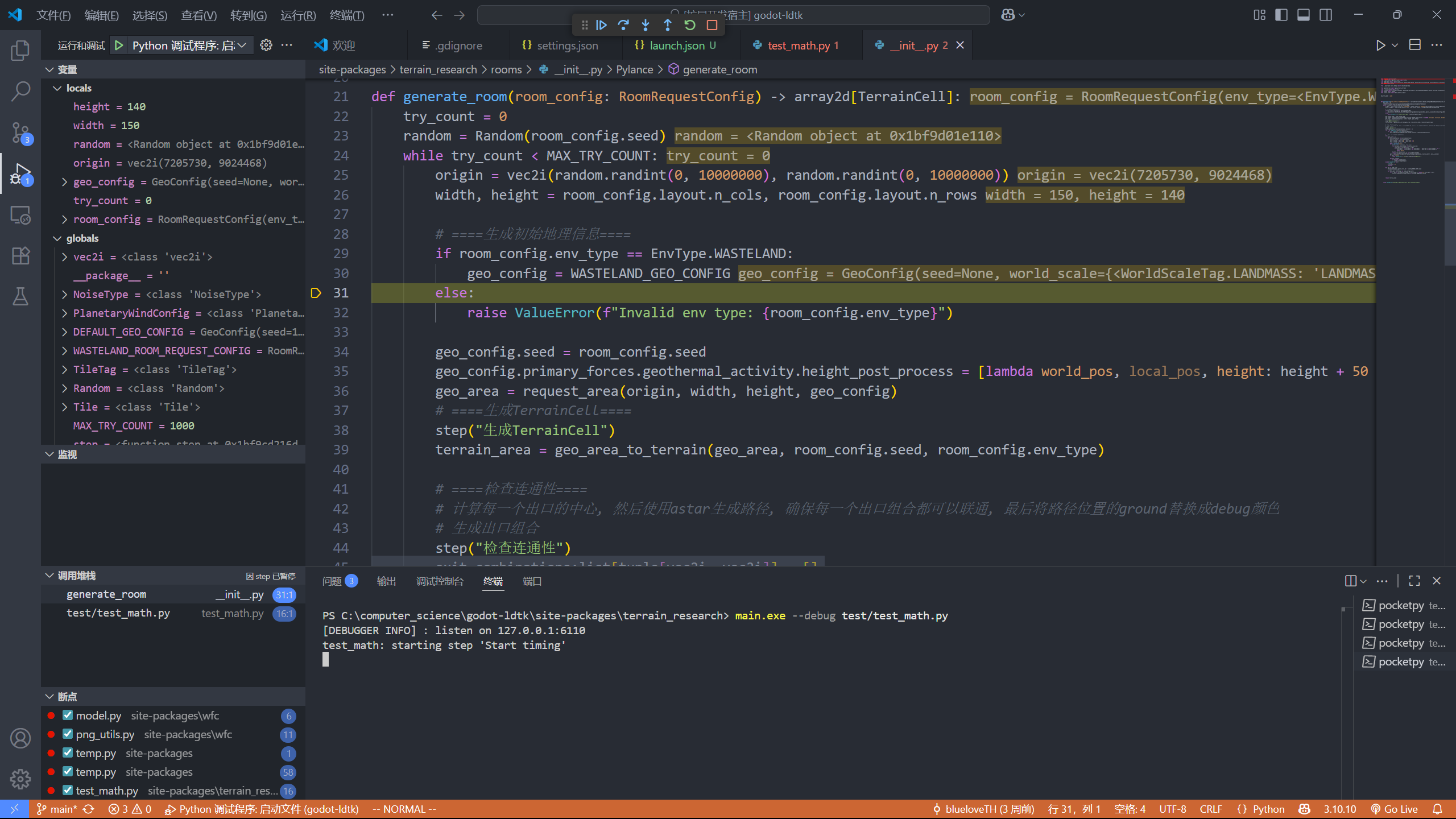
Showcase